
How to move from Visily before your data is deleted
Visily deletes all user data on 30 November 2026. How to export your boards to Figma, images, PDF or code, and how to keep editing the screens afterwards.
Visily closed on 31 October 2026, and its notice says every user's data is permanently deleted on 30 November 2026. After that date there is nothing left to export. If you have boards you care about, get them out in more than one format, check the files open, then decide where to keep working.
What Visily's notice says
The notice went up on 3 October 2026. It gives three facts that matter here:
- Designs can be exported to code, image, PDF, or directly to Figma.
- Assets can be fetched with Visily's MCP server.
- Data is deleted on 30 November 2026, and questions go to support@visily.ai.
It doesn't say whether your account still opens between 31 October and 30 November. Sign in at app.visily.ai and see. If it won't let you in, email support with your account address now, while there is still data to ask for.
Step 1: export to Figma if you have a paid workspace
This is the export that keeps your screens editable. Visily's help center calls it a paid feature and gives two ways to do it. Both need a Figma account and the Visily plugin installed in Figma.
Copy and paste:
- In your Visily board, select the screens or elements.
- Copy them with Ctrl+C or Cmd+C.
- In Figma, open the Visily plugin and choose Import from Visily.
- Click inside the plugin window and paste.
Export a file:
- Select the screens, then choose Export and Export to Figma. The option is in the right-click menu, the toolbar and the top menu.
- Visily saves a
.visfile to your computer. - In Figma, open the Visily plugin, choose Import from Visily and drop the file in.
The help center suggests importing large boards in smaller parts. Do the file export even if copy and paste worked, because the .vis files are a backup you hold yourself. We don't know how long the plugin will keep working once Visily's servers are gone, so import into Figma now and don't leave the files for later.
Step 2: export images of every screen
Do this on any plan, and do it even if the Figma export worked. A PNG of a screen opens anywhere and doesn't depend on Visily's plugin. It's also what screenshot-to-design tools read.
Export each screen on its own at full size. A whole board squeezed into one small image loses the text. PDF is worth adding for boards you only need to read later, such as flowcharts and notes.
Step 3: check what you saved
Before 30 November, open the files:
- Open the Figma file and click into a few screens. Text should be text you can edit.
- Open three or four of the images at 100% and read the smallest labels.
- Count the screens against the board. A missing one is easy to fix this week and impossible next month.
Step 4: keep working
Where you go next depends on what you saved.
If you have .vis files or a board that still opens, UX Pilot has published an importer for both. Visily's own plugin puts the same files into Figma.
If you have images, Outclass rebuilds a screen from its picture. Start a project, upload the image, and each screen in it becomes an editable design at phone or desktop size. From there you change text, colors and spacing by clicking, or ask for changes in chat, and copy the screens to Figma as layers with auto layout. Screenshot to Figma explains what comes across and what doesn't.
What you type with the image changes the result. "Recreate this screen exactly" copies the image as it is, wireframe gray included. "Build an app from this wireframe" treats the image as a brief: Outclass reads the product, the sections and the real labels, then designs new, finished screens. Use the second when your Visily board was a wireframe and you now want the real design.
Here is a food delivery wireframe, exported as an image, next to the Home screen designed from it. The labels, dishes and prices carry over, and the grey boxes become real components.
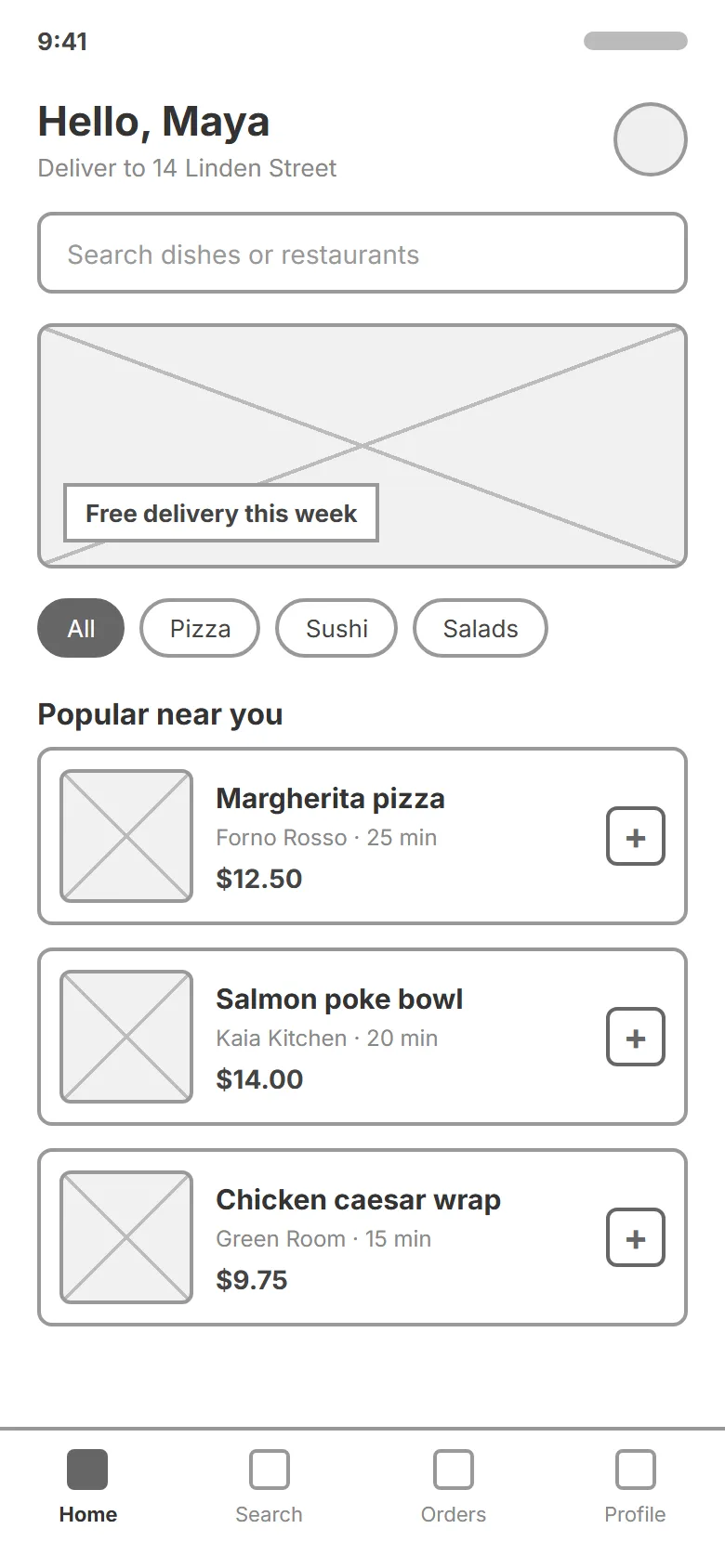
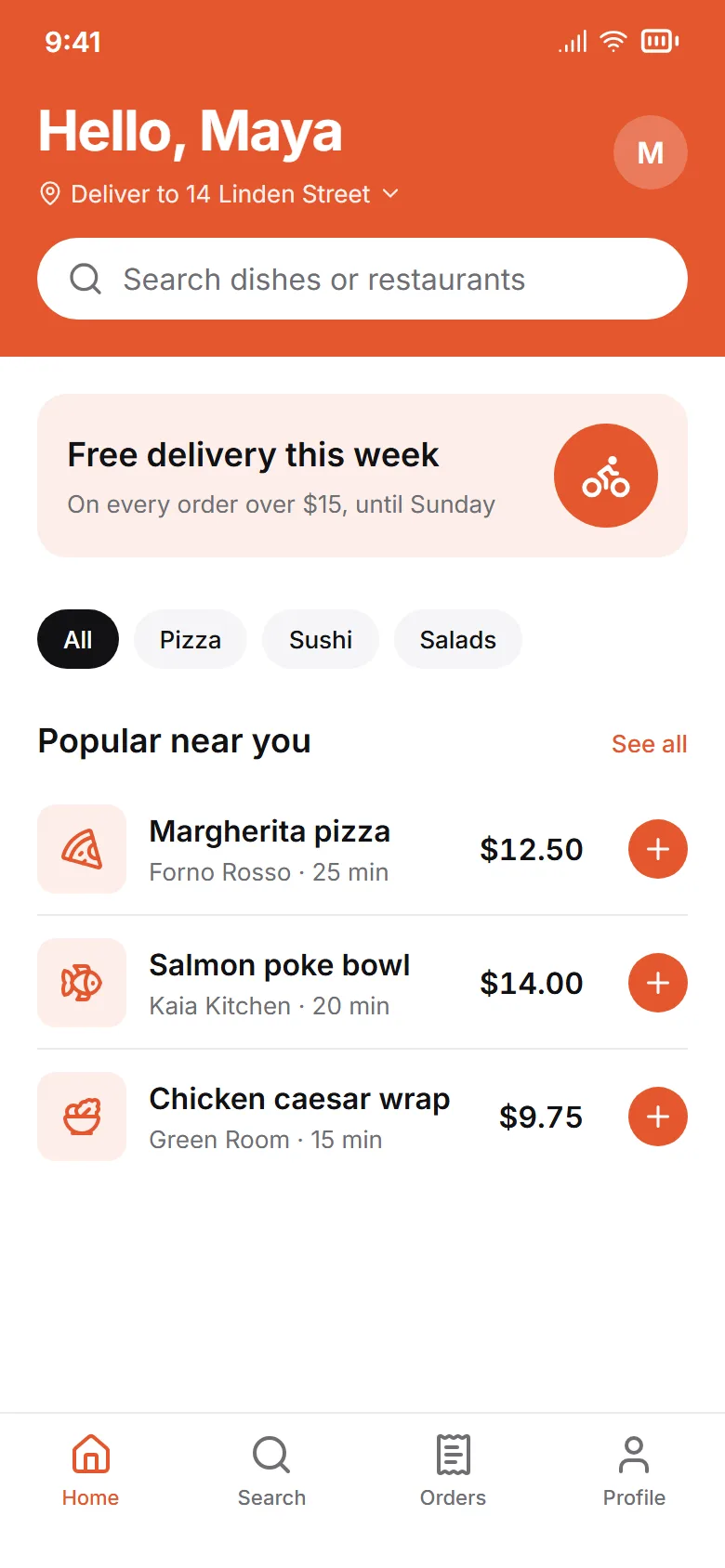
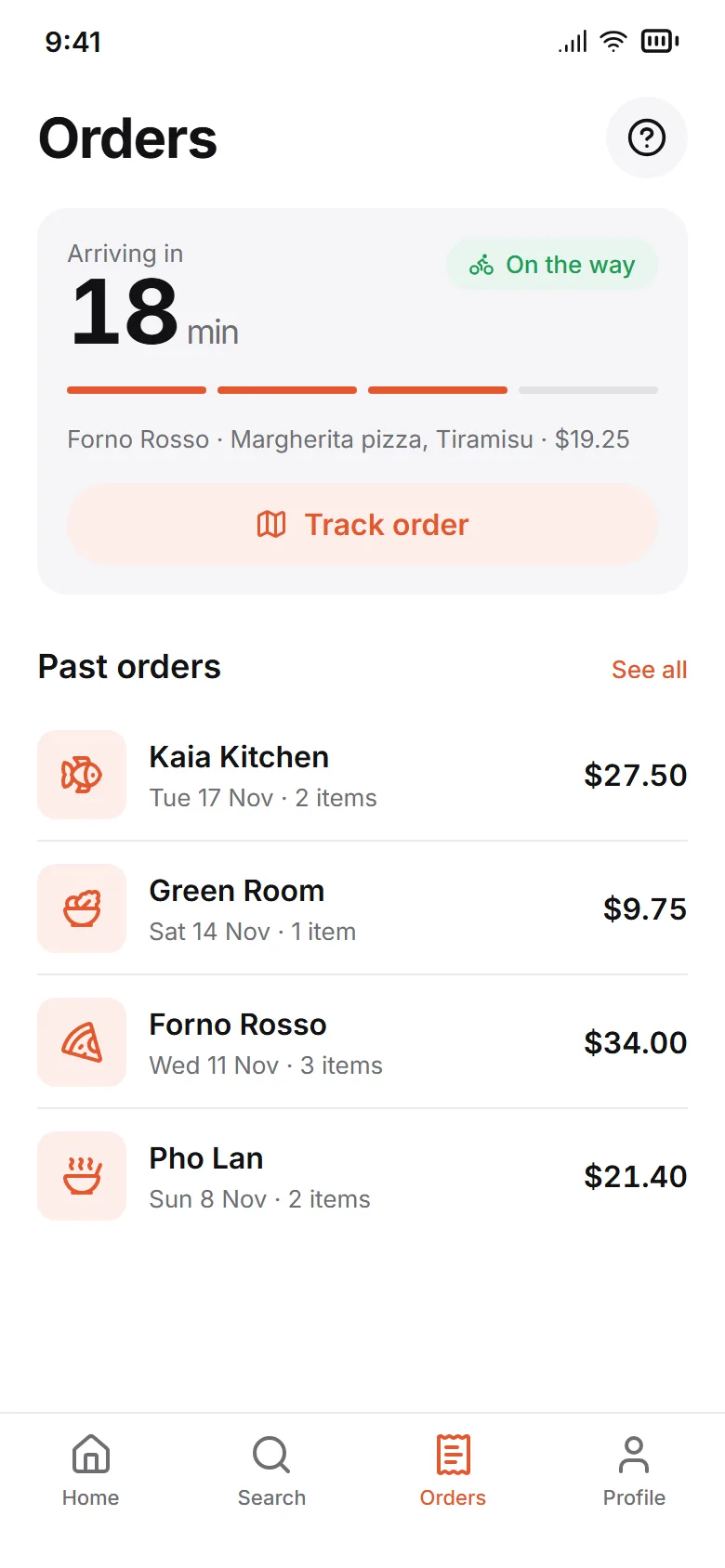
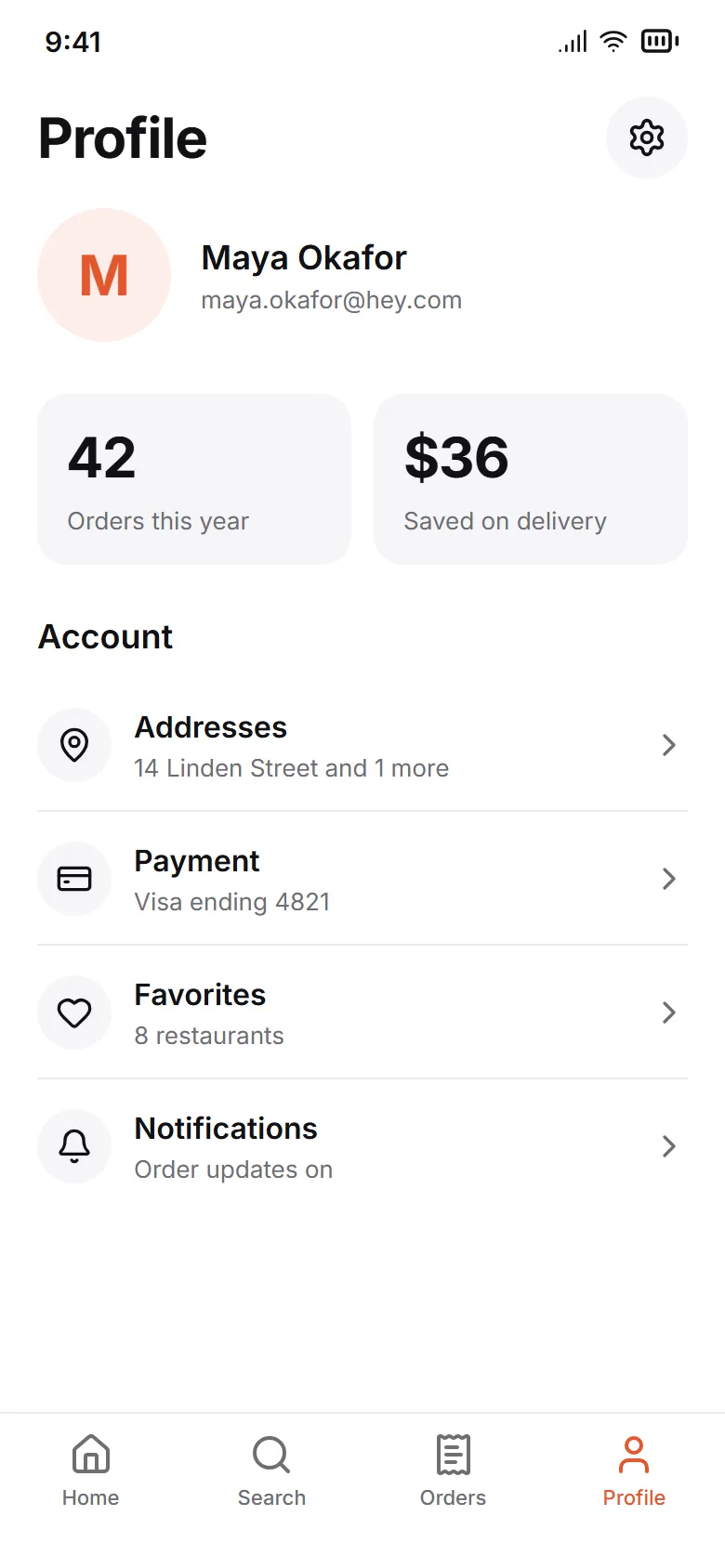
The wireframe's tab bar names Orders and Profile, so those screens come with it in the same style. Copied to Figma, the three screens are 342 editable layers.
Outclass doesn't replace Visily's whiteboard, sticky notes or diagrams. For those, and for the other options, see Visily alternatives.
If your account won't open
Write to support@visily.ai before 30 November with the email on your account and the names of the boards you need. Check your downloads folder and email for old exports, shared PDF links and screenshots in slide decks. A screenshot from a deck is enough to rebuild a screen.
Sources: Visily's shutdown notice, Visily's help center on Figma export and UX Pilot's Visily import page. Checked on 22 November 2026. We haven't tested UX Pilot's importer, and we couldn't confirm which exports still work after the 31 October closing date.
Questions
When is Visily data deleted?
Visily's shutdown notice says all user data is permanently deleted on 30 November 2026. The service itself closed on 31 October 2026.
How do I export a Visily board to Figma?
Select the screens in Visily, choose Export, then Export to Figma, which saves a .vis file. In Figma, open the Visily plugin, choose Import from Visily and drop the file in. You can also copy the screens in Visily and paste them into the plugin. Visily's help center says this needs a paid workspace.
What is a .vis file?
A .vis file is what Visily's Export to Figma saves to your computer. Visily's Figma plugin reads it and turns it into editable Figma elements. UX Pilot says its importer reads .vis files too.
I was on Visily's free plan. What can I export?
The Figma export is a paid feature, according to Visily's help center. The notice also lists image, PDF and code exports. An image of each screen is enough to rebuild it in a tool that reads screenshots, such as Outclass.
Can Outclass import Visily boards?
Not directly. Outclass can't open board links or .vis files. Upload an image of a screen, or one image holding several screens, and Outclass rebuilds each one as an editable design you can copy to Figma.